Personal and Places and Taiwan19 Aug 2008 08:14 am

I am a bit sad to think I will be leaving this wonderful island in just over two weeks. I have really grown quite attached. I could easily stay here another 6 months or a year since I really feel like I have just barely scratched the surface here, both in terms of the people and culture as well as the materials that might potentially be useful to me in my dissertation research.

It is the little things about life here that really just make me smile. To give one little example, for the 3rd time in a row, as I walked home from the NTU library around 21:00, I saw a group of elderly residents of a neighborhood I pass through lounging in one of the many small parks and watching a Kung Fu movie on one of those large projector screens. The event doesn’t look very formal or organized, so I can only imagine that one of the locals dragged out the projector and large screen so the neighborhood could all watch it together.

DSCF7930.JPG DSCF7931.JPG

Print This Post
Language and Reading10 Aug 2008 09:30 am

I am a huge fan of Eco. One of the many things I love about his work is the way his historical fiction does not stop at building an “accurate” portrayal of the physical universe of whatever time period his story takes place in, but works to accomplish the far more difficult task of building an alien intellectual universe in which religion, ideas, and ways of thinking differ from our own, or in which material objects have entirely different meanings for those who interact with them. On every page you can feel his enthusiasm for playing with long lost categories, and helping us all come closer to understanding the rich world of his characters. You can see this in all his fiction, including the three I enjoyed the most The Name of the Rose, Baudolino, and The Island of the Day Before. One day I hope to make use some of his techniques in some fictional writing of my own. For many readers, who feel overwhelmed by the detail and long discussions of obscure topics, it turns them forever away from his writing, but for others, such as myself, his passion filled writing has the capacity to ignite a curiosity and excitement few writers can match.

Today I was delighted to come across a passage in which he talks about this aspect of his work:

…the only essay I have ever written on the semiotics of the theater begins with the story of Averroes. What is so extraordinary about that story? It is that Borges’s Averroes is stupid not in personal terms but culturally, because he has reality before his eyes (the children playing) and yet he cannot make that relate to what the book is describing to him…Averroes’s situation is that of the poetics of “defamiliarization,” which the Russian formalists describe as representing something in such a way that one feels as if one were seeing it for the first time, thus making the perception of the object difficult for the reader. I would say that in my novels I reverse the “Averroes model”: the (culturally ignorant) character often describes with astonishment something he sees and about which he does not understand very much, whereby the reader is led to understand it. That is to say, I work to produce an intelligent Averroes.

As someone said, it may be that this is one of the reasons for the popularity of my fiction: mine is the opposite of the “defamiliarization” technique; I make the reader familiar with something he did not know until then. I take a reader from Texas, who has never seen Europe, into a medieval abbey (or into a Templar commandery, or a museum full of complicated objects, or into a Baroque room) and make them feel at ease. I show him the medieval character who takes out a pair of glasses as if it were completely natural, and I depict his contemporaries, who are astonished at this sight; at first the reader does not understand why they are amazed, but in the end he realizes that spectacles were invented in the Middle Ages, this is not a Borgesian technique; mine is an “anti-Averroes model,” but without Borges’s model before me I would never have been able to conceive of it.”1

  1. Eco, Umberto “Borges and My Anxiety of Influence” On Literature, 127-8 []
Print This Post
Personal05 Aug 2008 09:34 am

I am no longer subscribing to the konrad.lawson.net website (though I am keeping the email at that domain) since it was an expensive and limited hosting deal that I started over ten years ago, when 5MB seemed like a lot for web space.1 The quality of the hosting, the annoyances of not controlling the domain, and the fact many sites on this host dropped out of Google’s index convinced me to recently drop the web part of the account.

Muninn.net will be my primary home on the web. There are some pages on the old site that I will upload again when they have been redesigned here, including some old picture pages.

  1. The oldest version cached on the Wayback Machine is from 2000 but I had it a few years before that, having transferred the site from my undergraduate web page, which I first created a few years before this earliest cached version found here in 1997. []
Print This Post
Satire and Taiwan21 Jul 2008 11:50 am

DSCF6893.JPGThere is a most unusual prison in the very heart of Taiwan’s bustling modern capital. Though it lies in full view of both Taipei residents and the hundreds of foreign students who live near or study at National Taiwan Normal University (Shida) few stop to appreciate this perfect model of a postmodern disciplinary institution. It is none other than Taipei Experimental Prison #1, the best kept open secret of Da-an District.

The scale of the prison is not large, it can hold at most a few hundred prisoners, but their shouts and screams, blood chilling to hear, are audible from the street outside. The State has apparently limited the confined to younger prisoners, judging from the faces seen staring out from between the bars on the outer wall, perhaps in the hope that the revolutionary techniques of this experimental prison will soon return these convicts to society, newly molded into model and subservient citizens.

So what is it which makes this prison so unusual? How are its grey concrete walls, barbed wire fences, high walls covered in shards of glass, and metal bars any different from any other modern prison? In what way is this Taiwanese penal invention indicative of a coming larger epistemic shift?

P1000950.JPGThe first and most obviously innovative characteristic of this institution which immediate captures the attention of the careful observer who identifies the prison as such is its location. Taipei Experimental Prison #1 is strategically located right on the southeastern edge of the Shida university campus, and its outer walls border one of Taipei’s most bustling night markets: the Shida night market.

Here we can witness a new shift in disciplinary technology. Where once the body was the site of punishment, and thereafter the State focused its disciplining energies upon the mind, we witness in Taipei Experimental Prison #1 the return of body, or specifically the senses, to the fore. However, instead of scourging or severing the body of the convict, here we see the imprisoned punished and disciplined through temptation of the body itself.

This prison is the very inverse of the celebrated Panopticon. There the gaze of the State falls upon the convicted in every prison cell: it is all-seeing and all-penetrating. In Taipei Experimental Prison #1 the reverse holds true. Here, it is the prisoner who is all-seeing. From their cell windows the confined can witness all around them the decadent excesses of student freedom. Happy youth calls out to them as students prance all around the prison in unbounded gaiety. They carry not only their books for study, but all the products of their exuberant material consumption.

P1000952.JPGBut these painful sights are but the kindest tortures to behold in Taipei Experimental Prison #1, because my friends, these poor confined souls are not merely all-seeing but all-smelling. This prison is nothing less than a Panolfacticon. As the heat of the afternoon dissipates (not among the punishments of this prison, since all cells are supplied with air conditioning to prevent convicts from being distracted from the greater pains that await them), slowly the smells of the night market begin to penetrate through the open bars and vents, like a sweet airborne poison poured into the sleeping ear of a napping prisoner. The torture must be agonizing as the mouth-watering delicacies are being prepared and served to hundreds of hungry customers in the market just beyond their reach. No manner of confinement, save the torments of Tantalus in the depths of Tartarus, can more cruelly remind the prisoner of the pleasures they forfeit.

I was denied permission to enter the prison and conduct interviews with its residents so I cannot give authentic voice to the horrors experienced by those within. In fact, in an attempt to deny the atrocities that are being carried out, I was told by one guard, who feigned a look of bewilderment, that this was in fact a dormitory of the university! That they could even think to steep to such lies to cover up their crimes!

Print This Post
Japan and Korea and Satire20 Jul 2008 12:30 pm

Evidence continues to mount of, “a carefully coordinated action plan among Japanese officials and ministries to claim territorial rights over the islets” of Dokdo.

Last week’s breathtaking revelation that new middle school teaching guidelines in Japan will include the phrase, “It is necessary to deepen understanding about our country’s territory in a way identical with the Kuril Islands by mentioning that there exist differing assertions between our country and Korea over Takeshima,” amounts to a provocation which provides the Republic of Korea with a clear casus belli.

However, this is only the beginning. In addition to a stealth campaign which is surely behind such outrages as the Library of Congress proposal to adopt the so-called “neutral” term “Liancourt Rocks” there have been a full range of suspicious activities which provide plentiful proof of a perfidious plot by the Japanese.

Revenge of a Japanese Villain

According to a recently declassified US military report found in the National Archives a Japanese youth of around twenty years of age, Tsuji Shintaro, was fishing near the Korean islands of Dokdo in early spring of 1948 when his boat was sunk during a US bombing run in the area during training. He was saved by a nearby Korean who collected seaweed along the coastline. However, the two fought when Tsuji claimed the islands were Japanese territory and, badly beaten by the naturally physically stronger Korean, the Japanese fisherman swore that he would someday get revenge.

Tsuji, who went on to found the Sanrio corporation, is ready to seek vengeance. The popular Hello Kitty character, which is famous for its mysterious lack of a mouth may soon undergo a startling change. As Sanrio spokesman put it in a special press conference last Wednesday, “Sanrio Chairman Tsuji feels that it is time for Hello Kitty’s long silence to come to an end. She must speak the truth about Takeshima, and we are confident that the world will listen.” The addition of a mouth to the Hello Kitty character is to happen sometime before Christmas sales for 2008 set in and many Hello Kitty products will play Takeshima related quotes by the character at random times, according to a Sanrio employee who asked not to be identified. Hearing this news, one excited Japanese fan reported, “The people of Japan, and of the world, have never heard the true voice of Hello Kitty, so we are all looking forward to this.” There are some reports that the first sound of Hello Kitty’s voice can be heard all over Japan through a special radio broadcast at noon on August 15th.

A Bamboo Plot

Oil prices and food grains are not the only products rising in price these days. Market observers and bamboo nursery owners have recently reported an unprecedented 670% rise in the price of bamboo seeds as well as full-grown stock of bamboo over the last 6 months. Jeffrey Haskins, associate editor of the San Francisco based Bamboo Quarterly was alarmed enough to explore what he called, “This clear distortion of the market.” Haskins had no idea that he would stumble upon a Japanese nationalist plot, “Those I approached either refused to speak to me or else warned me that, for my own safety, I ought best drop this entirely.”

After meeting considerable resistance at every step Haskins was finally able to tie up with Kaneyama Chiyo (金山ちよ), a student reporter for the Hitotsubashi Youth Red Flag Journal (一橋赤旗青年ジャーナル). Together they were finally able to identify the true source of the huge purchases of bamboo: an until now largely unknown organization going by the name of, “The New Bamboo Shoot Tribe” (新竹の子族). This insidious group of right-wing nationalist thugs is said to have close ties to Japanese organized crime syndicates and operates out of unmarked headquarters found somewhere in or near an apartment complex called the Harajuku Verdant Heights. In interviews with local residents Kaneyama reported that members of this organization have been seen to hold secret night time rallies in Yoyogi Park dressed in strange attire. They apparently open with a bizarre oath to the memory of former Japanese ruler Toyotomi Hideyoshi and have been heard chanting various anti-Korean slogans.

Very little is known about the leader of the New Bamboo Shoot Tribe and her life is largely shrouded in mystery. What is known about Mitarai Aya (御手洗彩) is that she has a long history of violence and gang involvement. First detained by police in 1980 for destruction of public school property, she is said to have led many mass battles between groups of high school students in central Tokyo. She was eventually expelled from high school when she stabbed her math teacher 14 times with a geometry compass in 1982. One year later she was arrested for the death of two Yakuza men found with brutally cracked skulls near Meiji shrine. The charges were dropped after she argued that she had been molested by the older men, who were found still armed with knives, and in response she had to “bust some heads,” in “self-defense.”

A single rare picture remains of a young Mitarai taken some time in the early 1980s. We can already see in her eyes the early indications of someone who would become a cool and cruel Japanese right-wing nationalist fanatic:

mitarai.jpg

The research of Kaneyama and Haskins definitely established the New Bamboo Shoot Tribe as the source of the massive purchases. This has affected prices not only of the popular Phyllostachys bambusoides and other varieties of bamboo common in Japan but a wide range of East Asian species such as Fargesia dracocephala. However, a follow up article slated to be published in Asahi newspaper which was to analyze the organization and its plans for the bamboo was never submitted. Soon after the initial joint publication of the research by these two courageous reporters Haskins left suddenly and mysteriously for Patagonia in southern Argentina to reportedly “find God,” leaving all his belongings and his wife and two children behind in California. Efforts to locate him have been unsuccessful. More shockingly, Kaneyama died soon after in a mysterious fire in a restaurant in the Ōkubo district of Tokyo.

The impact of this price rise should not be underestimated, as it even threatens the Beijing Olympics held in China this summer. The cost of feeding pandas, who depend on the plant, has skyrocketed and rationing of bamboo shoots has been implemented in China and elsewhere. According to panda specialist, Dr. Zhang Zhongxu at the Chengdu Panda Breeding and Feeding Center, “The Japanese have long been jealous of the prestige China will gain this summer with the hosting of the Olympic games. This manipulation of the bamboo market is a direct provocation aimed at sabotaging the games. We can now only afford to feed each of our pandas 4kg of bamboo shoots per day, and our beloved pandas are in dire condition.” One of those threatened and at the point of starvation is none other than Jingjing, one of the five mascots of the Olympics beloved all over the world.

jingjing.jpg

A national campaign has been announced to raise money to feed Jingjing and other starving pandas in the wake of the crisis. However, in the event Jingjing does not pull through, there is discussion about the possibility of substituting the cartoon mascot for the Shenzhen based Internet Friendly Monitoring Division of the Public Caring Bureau, which coincidently is also named Jingjing.

jingjing2.jpg

While not as cute as the panda figure, the alternate Jingjing has gained much respect for his considerable mastery of a wide range of Chinese martial arts. He easily won the underground 2007 Worldwide Battle of the Mascots held in the Cambodian border town of Pailin, unseating the 3-year consecutive Japanese champion Custom-kun (カスタム君) whose Sumo skills were thought to be unbeatable.

The sentiment stirred in the Middle Kingdom surrounding the bamboo price increase, however, may have distracted the media away from the real purpose behind the massive purchases of bamboo by dummy corporations set up by the New Bamboo Shoot Tribe. While it hasn’t received much international attention, a short “Research Note” in the forthcoming issue of the International Irredentist Review ties the Kaneyama and Haskins research directly to the Dokdo issue. Professor Kjell Skadberg, head of the Institute of Irredentist Studies at the University of Flekkefjord and author of highly controversial and much criticized work Dokdo/Takeshima and Eastern Greenland: What We Can Learn from the 1931 Norwegian Invasion and Occupation of Eirik Raudes Land has suggested that this massive purchase of bamboo may be part of a new and more frightening stage of Japanese imperialist attempts to boost their international claim to the Dokdo islands through direct action.

“The New Bamboo Shoot Tribe, which must surely have government support to be engaging in such massive purchases, may be planning to somehow cover the contested islands in bamboo. If they could get this normally tropical plant to grow on the rocky surface and cover it with the verdant green of the bamboo (or take) which is part of the Japanese name for the islands, then it would serve as excellent ammunition for the Japanese claims. The equivalent would be if Koreans were to ship all the lonely people of their nation to the islands of that designation.”1

Could this be the ultimate bamboo conspiracy? Activists have already mobilized to pursue this hypothesis. The first support for Skadberg’s claim has already been found. After Kaneyama’s suspicious death in March, a close review of her possessions turned up three single sheets from a longer roster of the paying members of the New Bamboo Shoot Tribe from 2006. This list included 2 pilots of major Japanese airlines as well as a retired Japanese self-defense air force pilot of high rank. Among them was also an assistant professor of the Department of Agriculture at Mie University, Saito Jun, whose past publications include an essay entitled, “From Tropical Soils to Rocky Wastelands: Increasing the Range and Promoting the Growth of Plants in Adverse Conditions.” Activists have already begun surveillance of these individuals but they have all refused requests for interview or comment.

Fishy Relations

As seen above Skadberg suggests that there is secret Japanese government financial backing behind the conspiratorial designs of the New Bamboo Shoot Tribe. This is undoubtedly the case, but there are other possibilities for funding that go beyond government support and the deep blood chests of Japanese nationalist networks. In an amazing scoop, one more name found on “The Kaneyama Roster,” as the membership roster found in deceased Kaneyama’s possessions has come to be known, suggests a connection between Japan’s neo-imperialists and Korea’s huge network of Dokdo seafood restaurants, which goes by the name Dokdo Marine Products Industry Federation (독도해산물산업연맹, hereafter DMPIF). The list contained the Korean name Choe Sangho (崔尙浩) which is the same name as the DMPIF’s long-serving former chairman (1985-1997) well known for leading the expansion of DMPIF membership by encouraging all failing seafood restaurants in Korea to paint images of Dokdo on their interior walls, add Dokdo to the restaurant name and put pictures of the islands on menus or on the outer walls and signs. Before becoming chairman, Choe was merely the humble owner of his own restaurant in Shinchon, “Dokdo Tuna” and was only inspired to become active in the DMPIF when his wife one day reportedly remarked, “Wouldn’t it be nice if every station on the new line number two had a Dokdo restaurant?”

dokdo.jpg

This would become the campaign theme for the DMPIF barely a year after the completion of subway line number two in 1984, ten years after violent protests against the “pro-Japanese subway” (친일지하철 반대운동, 1973-1975) line number one opened: “A Dokdo seafood restaurant at every station of line number two! Celebrate the completion of our first pure Korean subway line!” With the patronage of patriotic customers and new support of restaurant owners Dokdo-themed restaurants spread like wildfire across South Korea during Choe’s tenure as chairman, with membership in the federation growing from a mere 24 restaurants in 1985 to 432 in 1996. On the eve of the current scandal, member restaurants were said to be over seven hundred.

However, now Choe’s legendary status among students of Korea’s seafood history was being seriously questioned. Was he a selfless patriot who fought for Dokdo through his career as a seafood restaurant owner and chairman of the DMPIF? Or was he perhaps secretly an opportunistic pro-Japanese traitor who actually conspired together with Japanese extremists to deprive Korea of these sacred islands?

Choe naturally dismissed all suggestions that he had anything to do with the New Bamboo Shoots Tribe or other Japanese nationalist organizations. In a short comment given to the press through a spokesman he said, “I have dedicated my life to educating the people about Dokdo and make sure that with every delicious bite of our food they are reminded of the beauty and sanctity of the islands. Dokdo is our land! I am horribly saddened to hear that someone going by the same name as me was found on the roster of this despicable organization.” However, shortly after the statement was delivered he was committed to a “health spa” on Cheju island due to “illness and stress” and has since refused to see anyone. The DMPIF immediately began damage control, quickly distancing themselves from Choe in a press release and emphasizing that, “Choe has not served on any executive body of the DMPIF since 2001 and we are currently conducting an internal audit to investigate possible charges of corruption against him from his time as chairman.”

However, Choe’s potentially treasonous activities sparked the interest of the Korean Institute for Research in Collaborationist Activities (민족문제연구소) who decided to take a look at the leadership of the DMPIF. Fresh from their hard work on the newest release of names of leading colonial period collaborators, they conducted a detailed study of all leading executives of the DMPIF from its founding in 1965 until now. The disturbing conclusions reached by their researchers can be found in the concluding paragraph of their damning 622 page report:

“Of the 78 members holding executive positions in the history of the DMPIF no less than 59, including Choe Sangho are direct descendants of colonial period pro-Japanese traitors. An additional 6 executive leaders of the DMPIF in the 1960s were themselves already in our most recent list of 4,776 traitors. We must therefore conclude that the DMPIF is a pro-Japanese collaborationist organization and will be including the organization in the upcoming release of the post-liberation edition of our dictionary of pro-Japanese collaborationist organizations (일제협력단체사전: 국내 해방후 일제잔재편).

The reaction was swift and severe. Last week a statue of Choe Sangho that had been erected at the opening of the fish market in Noryangjin in 1999 to commemorate his lifetime dedication to the preservation of Dokdo was torn down by angry protesters. More peaceful candlelight vigils were held outside the DMPIF demanding the dissolution of the organization.

Many Koreans were left shocked and confused. Scenes of crying children whose parents denied them the pleasure of visiting their favorite local Dokdo restaurant became commonplace. The very restaurants that helped promote the Korean claim to Dokdo long before children sang the Dokdo song in school were somehow also connected to Japanese terrorists who were trying to steal the islands from them? How could this happen? The scholarly investigations of the Korean Institute for Research in Collaborationist Activities were followed up upon on by another powerful non-profit organization dedicated to the global fight against Japanese neo-imperialism: VANK.

The Very Annoyed Network of Koreans, or VANK, set out to identify the motives and the exact trail of money and meetings that linked the DMPIF with Japanese organizations. First their volunteers infiltrated the mid-tier cells of the DMPIF and recorded a number of revealing conversations that showed the base opportunism at the heart of the DMPIF’s treasonous crimes. The following example gives the clearest voice to this treachery:

DMPIF Traitor: Business was at its peak during the furor surrounding the establishment of ‘Takeshima Day’ in Shimane [Prefecture, Japan] and the issue of the Takeshima stamps a few years ago. However, since then people have gradually forgotten about Dokdo and business has been in steep decline. All people care about now is eating Korean beef! We have to get Dokdo back into the news and for that we need to work together with the Japanese, who have that ability.

VANK Infiltrator: But what if Japan succeeds in its campaign to steal Dokdo from us?

DMPIF Traitor: [Laughing] That would be perfect! Recovering the islands from Japan would become a permanent obsession of all Koreans! Our restaurants would flourish!

There is a sick and twisted logic to the traitor’s comment. Who now remembers the once insanely popular restaurants of pre-WWII France that served Alsatian cuisine and incorporated the word “revanche” in their names or on their menus? If Dokdo were lost, the spirit of revanche would surely lead to a new renaissance for the DMPIF, had their plot not been uncovered. Thanks to the dedicated efforts of VANK members, fired with passionate zeal and love for their nation, massive financial contributions by the DMPIF to a “bamboo fund” and other Japanese plots have been uncovered. Yesterday, the farcical attempt of DMPIF to prevent the scandal from coming out came to an end when the entire executive board of the federation fled to Tsushima island and sought political asylum from the Japanese authorities, who still forcefully occupy the Korean island, properly known as Daemado. “When Korea rightfully reclaims Daemado,” said a spokesman from VANK, “these traitors will receive their just punishment.”

One major battle to thwart the current Japanese attempt to steal Dokdo from Korea has been won but Koreans must remain vigilant. The fight continues, with ever increasing efficacy. Seoul Metro has pulled Japanese condom ads found on subway doors and special crack troops have successfully apprehended and liquidated a flock of pro-Japanese Korean pheasants. Let no Korean man, woman, or child ever forget that Dokdo is and has always been their land!

  1. Skadberg, Kjell. “Research Note” The International Irredentist Review 14:3 September, 2008 (forthcoming), 248. []
Print This Post
Korea and Nationalism and Taiwan06 Jul 2008 08:05 am

Having spent a wonderful year or so in Korea I have had occasion to speak of my experiences to people I meet here in Taiwan. I have been surprised to see some anti-Korean sentiment amongst people I have met here.

I first got a hint of this soon after I arrived in Taiwan. At a Sichuan style restaurant here with a group of friends I was asked what I ate in Korea and I said that I was a huge fan of Korean food, and that is probably what I miss most about it now having left Seoul. My words were met with what seemed to me utter shock and disbelief around the table. It was almost like I had insulted their mothers.

One of my friends responded, “But in Korea all they eat is meat and kimchi! What is there about Korean food to like? They have no vegetables!” I tried to explain that there are many dishes in Korea that have a wonderful assortment of vegetables but my further defense of Korean cuisine only seemed to make things worse. We moved on to other topics.

Since then I have kept my ears open when it comes to the way people I have met respond to things related to Korea and sometimes I have come right out and asked, “What do you think about Korea?” or “What is your impression about Korea.” The results have been interesting. Three recent responses:

1. Taipei, pro-Blue female. “Koreans are so arrogant! You know they tried to register the Dragon Boat race with [some UN organization] as a Korean tradition that they invented?”

2. Kaohsiung, female. “I hate (討厭)Korea! I have interacted with many Korean women at international conferences and they are always talking. They are so loud and very rude.”

3. Kaohsiung, male pro-Green graduate student. Has studied Korean at university level. “I hate (討厭) Koreans! I knew many Koreans at university and they were so rude, arrogant, and obsessed with their pride. Koreans hate the Japanese. They are always trying to show how they are as good as the Chinese, and when it comes to the Taiwanese, they look down (看不起) on us.

Though they fortunately lack any rocky islets to fight over and no effigies are being burnt in street protests, I was really surprised at the really strong emotions evoked here in Taiwan. I never got “我不太喜歡” or other more moderate phrases. The sentiment was unusually direct. Of course, it is nowhere near the kinds of reactions I have seen among many young Chinese towards the Japanese (first encountering these powerful emotions in Beijing in 1997 was my first motivation to study Sino-Japanese relations and the contentious historical issues in the region). Korean sentiments against the Japanese seems, by contrast, a little more tame these days, though I may get this impression because I have been hanging out with a lot of more younger “pro-Japanese” treasonous types when I lived in Seoul.

One explanation might be a general clash of personality types. As some of the comments above hint at, the generally more relaxed and polite personality style I have found to be common on this island may simply clash a bit more with the sometimes more intense and aggressive style often found on the peninsula to the north. Obviously, I have seen plenty of exceptions to this on both sides.

Something I heard indirectly which may play is role was from a Taiwanese woman who I’m told said that though Korea and Taiwan were long lauded as two of Asia’s leading economic “tigers” some Taiwanese feel like they “lost” to the larger and more powerful Korea, thus leading to the development of a kind of insecurity complex when they find themselves compared to their more populous and culturally distinct rival.

There is no doubt that Korea has a certain degree of international visibility that Taiwan lacks. Asus does not quite have the brand power of Samsung or LG and Taiwan’s cross-straits crisis doesn’t have the benefit of an official axis of evil member next door. If my Korean friends complain that most Americans can’t find their country on a map (to be fair, we apparently can’t seem to find most places on a map, even after we invade them) then imagine the chances of them locating this little Formosan paradise. My Taiwanese friends who have a lot of international experience often refer to the frustration they feel at having to explain to everyone that they are from TaiWAN, not from ThaiLAND. Yes, they survived the tidal wave nicely, thank you (when I hear such complaints I’m reminded of my Korean friends who express their annoyance at being mistaken for Japanese when they travel, and sometimes revealing a more condescending discrimination when recounting their much greater horror at being mistaken as Chinese. As for myself, I have long since stopped caring if people introduce me as coming from Sweden or Finland, I just feel a bit sorry for Denmark, since it rarely gets offered as my homeland and, really, to be fair, the Danish kingdom did rule over Norway the longest).

Korea’s visibility extends to Taiwan as well. I see buses around Taipei plastered with huge advertisements for the latest Korean historical drama, and a Korean drama always seems to be playing on some channel or other here. Somebody must be watching them. This afternoon I ate Korean food in a food court in a Kaohsiung shopping mall, and Korean 泡菜 (kimchi) or the word 韓式 (Korean-style) is added as a prefix to many food items in many regular Chinese-style restaurants.

Of course, I don’t get the impression the “Korea” brand is anywhere close to the “Japan” brand here in Taiwan in terms of its power. Thousands of Japanese products are sold in stores around Taiwan with their Japanese packaging and labels fully intact. The word “Japan” or “Japanese Style” is printed in big fat or highlighted characters on signs for all manner of products (especially anything related to cosmetics, electronics, and very often for food related items) in a way reminiscent of products sold in the US with “NEW! IMPROVED!” attached. Maybe my memory is off, but I don’t seem to remember anywhere near this extent of explicit use of the Japan brand in Korea.

Of course, everyone knows that Taiwan is infamously pro-Japanese. Japanese men seem to believe they stand a better chance of finding love here in Taiwan than anywhere in Asia. The postwar experience of dictatorship, the 2/28 massacre, and the importance of the long Japanese colonial period to the claims of a distinct Taiwanese national identity all contribute to this. This weekend I was introduced to a somewhat inebriated Taiwanese doctor who was told that I was doing my dissertation on Chinese traitors (漢奸). He turned to me, somewhat perturbed, and proudly announced, almost toppling over as he straightened up, “我就是漢奸!” (I am myself a 漢奸!)

When it comes to Taiwanese sentiments towards Korea, if my very limited exchanges are at all suggestive of anything, the Korean brand power, food culture, and drama fandom seen here are not incompatible with a degree of emotional disdain. Even one of the women included in the comments above who expressed a hatred of Korea and especially Korean women also says that while she loves Japanese kimonos and culture of all kinds she doesn’t like the Japanese people themselves because they, “Are so polite to you all the time but who knows what they are thinking on the inside.” This deep dislike of a purported Japanese “two-facedness” is a familiar image. I remember an elderly neighbor of my parents in Oklahoma who, after decades of negotiations with Japanese chemical companies told me something along the lines of, “Them Japs’d always lie to your face. ‘Yes’ never meant ‘yes,’ and ‘maybe’ always meant ‘no.’ And you’d never know when they might pull a Pearl Harbor on ya.” (His distrust wasn’t limited to the Japanese, however. He spent a lunch once trying to convince me that every evil of the 20th century could be blamed on the inherently demonic nature of the Englishman. I think he bore a very serious grudge against the English ever since he was arrested by an English MP in World War II when he was on shore leave in Gibraltar).

All being said, however, I was a bit surprised to find anything more than, at worst, indifference towards Korea. Instead, I might have expected a feeling of camaraderie for an economically successful and culturally rich counterpart that is similarly struggling to define itself in a challenging geopolitical environment dominated by its larger neighbors.

UPDATE: There was a surprising amount of interest in this posting but I feel my posting didn’t come across quite the way I wanted it to. I am not justifying any of the claims that I quote hear, nor do I think the feelings expressed by my informers were much more than the kinds of stereotypes we all engage in or somehow reflect some kind of genuine bubbling discontent here in Taiwan. On the contrary, of all places I have lived in East Asia, the people I have met here in Taiwan are the most cosmopolitan and open. That was precisely why the rare expressions of dislike for a particular group of people stood out such that it made me notice it and become curious since I expected the contrary to hold true among two places with much in common in their recent history and development.

Print This Post
China and Japan and Korea and Language and Thoughts30 Jun 2008 03:15 am

As historians, we often engage in the liberal use of quotations to sanitize and quarantine distasteful terms or phrases that lend legitimacy to a category or a way of referring to an institution or other body. The use of these quotes, which I confess to frequently using, presumably robs such terms of their nomenclatural power and further serves to establish distance between us and the ideas and terms we enlist to talk about the past.

Finally, use of these quotation marks excuses us from having to spend time analyzing the terms themselves, putting them aside as if to say, “Yes, yes, this is a very inappropriate term that needs careful and sensitive discussion, but since I’ve a lot to do in this essay, I just can’t be bothered at the moment to deal with it.”

Some people seem to feel that the aesthetic impact on one’s work is such that the frequent use of quotations is just not worth it, or perhaps feel that we simply aren’t accomplishing anything useful by using them for direct translations or referrals to terms as they were used decades or centuries ago. However, not using quotations or confronting problematic terms can earn the ire of book reviewers, as I discussed in a response to a review of the book Collaboration by Timothy Brooks. Brooks was criticized for used the term “pacification teams” to refer to the units the Japanese called “pacification teams” in occupied China during the war even if he is anything but sympathetic to the Japanese in his book.

One strategy is to use quotations once, and then announce that you won’t be using them anymore. I came across this tactic today when reading a Chinese translation of an essay by Matsuda Toshihiko, called 日本帝國在殖民地的憲兵警察制度:從朝鮮,關東州致滿洲國的統治樣式遷移 (English title was listed as “The ‘Gendarme-oriented’ Police System in the Japanese Colonial Empire: The Transfer of Models of Rule Used in Colonial Korea to Kwantung Province and Manchukuo”) After putting Japan’s 內地 (the interior of Japan = Japan proper excluding its colonies) and terms like 滿洲 (Manchuria, 滿洲國 Manchukuo, the largely Japanese controlled Manchurian state from 1932-1945, often called 僞滿州 or the “puppet Manchukuo”) in quotations, he follows each with “一下省略括號” (”Brackets left out below”).

Another strategy that can sometimes be used, which is one I follow for some words like “traitors,” is to embrace a word and use it quite shamelessly in order to deliberately provoke the reader. In English, the word traitor has lost much of its punch of late - a good thing in my opinion - but still holds great power in many other places and languages. The discomfort generated by the word and the way it forces readers to think about what it really means is part of what I aim to achieve when I use the term. Far from wanting to contribute to the term’s legitimacy, my deliberate use of it is partly out of a kind of mockery, but more importantly out of a desire to help set the scene of the politically charged context in which it was used.

Though I can’t speak for them, I suspect something similar is being done in some other famous cases of this. Some scholars of Korean history have been strongly criticized for using words like “terrorist” to describe Korea’s national tragic hero Kim Koo. I suspect these same critics would have much less opposition to him be referred to by his popular nickname, “the assassin.” I really don’t have strong feelings on this issue and I don’t think it is as straightforward as my own case, but it raises some interesting questions. What if these scholars are also engaging in a dual process of linguistic mockery and deliberate attempt at reviving a historical scene? Should the word be off limits entirely, should it necessarily be accompanied with quotations, or are there alternatives? What I think escapes some critics of such scholars is that I believe at least some of them are using the word terrorist not as a way to conjure images of Kim Koo as a suicide bomber in a crowded market but, on the contrary, to show how the word terrorist has itself a history and potentially embraces a wide range of figures we might be less willing to unconditionally condemn. In doing so, they potentially open a space in which to critique the way the word has come to be used and what it now narrowly represents, as well as the wide range of activities and contexts it covered both in the past and now. Can we only engage in such a rhetorical technique through the use of quotations?

I’d be interested in hearing from other students and scholars about this. What strategies do others take when they are faced with the need or potential need to establish quotational quarantines? What conventions do you follow?

Print This Post
Workshop29 Jun 2008 06:09 am

In addition to my Muninn blog, I occasionally make contributions at the various Frog in a Well blogs, the East Asia Libraries and Archives wiki, some programming weblogs at Fool’s Workshop, and create various scripts and other creations. I have a Friendfeed profile but I don’t really like leaving this sort of thing to third party sites that come and go with the fads. I’ve decided to keep track of most of my own online projects with a little site and feed called the Workshop Wire.

Workshop Wire (The RSS Feed for it is here)

Print This Post
China and Language and Tech and Workshop22 Jun 2008 02:24 pm

The Problem: Let us say you have a list of Chinese words or single Chinese characters in a file. There are a lot of them. You want some easy and fast way of getting the pinyin and English definitions of that list of words or single characters and you want this in a format that can be easily imported into a flashcard program so you can practice these words.

Today I faced this kind of problem. There are lots of “annotator” websites online that make use of the free CEDICT Chinese dictionary but I have yet to find one which outputs a simple, and nicely formated (with all [...], and /…/ stuff removed) tab delimited vocab lists.

I have recently been frustrated by the fact that I often come across Chinese characters that I haven’t learn, or, more often, characters that I only know how to pronounce in Japanese or Korean. I also am frustrated at the fact that I have forgotten the tones for a lot of characters I knew well many years ago when I studied Chinese formally.

Over the summer I want to review or learn the 3500 most frequently used Chinese characters, particularly their pronunciation, so that I can improve my tones and more quickly lookup compounds I don’t know.1

I found a few frequency lists online (see here and here for example) and I stripped out the data I didn’t need to create a list with nothing but one character on each line.2 Although it is an older list based on a huge set of Usenet postings from ‘93-’94 you can download an already converted list of 3500 characters here.3

Since I’m not in the mood to look up 3500 characters one by one, I spent a few hours this evening using this problem as an excuse to write my second script in the Ruby programming language.

In the remote possibility that others find it useful who are using Mac OS X, you can download the result of my tinkering here:

Cedict Vocabulary List Generator 1.1

This download includes the 2007.8 version of CEDICT, the latest I could find here.4

How this script works:

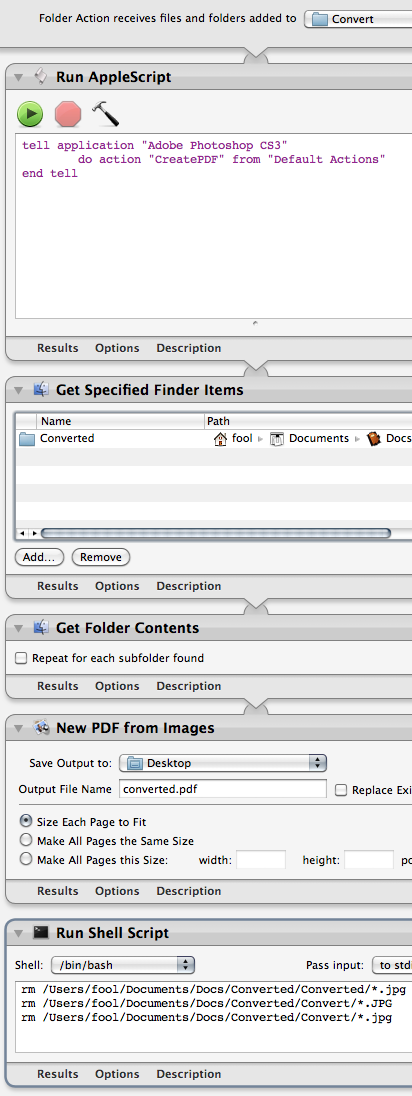
1. After unzipping the download, boot up the “Convert.app” applescript application. It will ask you to identify the file you want to annotate. It is looking for a text file (not a word or rich text file) in Unicode (UTF-8) format with either simplified or traditional Chinese characters or word compounds, one on each line.

2. This application will then send this information to the convert.rb ruby script which will search for the words in the CEDICT dictionary in the same folder, format the information it finds (the hanzi, pinyin, and English definition), including the putting of multiple hits for the same character/word within the same entry with the definitions numbered. It does not currently add the alternate form of the hanzi (it won’t add simplified version to traditional or vice versa).

3. It will then produce a new file with the word “converted” added to its name. It will create tab-delimited files by default but you can change this by changing this option at the top of the convert.rb file in a text editor.

4. Though this version of the script doesn’t do this yet, you may want to run the resulting text through the Pinyin Tone dashboard widget or a similar online tool such as the one here or here. That will get rid of the syllable final tone numbers and add the appropriate tone marks. I am having a bit of trouble converting the JavaScript that my widget and this site uses into Ruby so if anyone is interested in working on this let me know!

If the script doesn’t work: make sure you are saving your text file as UTF-8 before you convert. I am also having trouble when my script is placed somewhere on a hard disk where the path has lots of spaces. Try putting the script folder on your Desktop.

Note: If you don’t have Mac OS X but can run Ruby scripts on your operating system, you may be able to run my script convert.rb from the command line. It takes this format:

convert.rb /path/to/file.txt /path/to/cedict.u8

UPDATE 1.1: The script now replaces “u:” with “ü” (CEDICT uses u:).

  1. The top 3000 make up some 98-99% when their cumulative frequency is considered. []
  2. A few of the frequency lists I have seen have Cedict dictionary data included but not in a very clean format []
  3. I notice that there is a high frequency of phonetic hanzi for expression emotion in the postings and some other characters one doesn’t come across as often in more formal texts, I actually don’t mind []
  4. If you find a newer version (in UTF-8) put it in the same directory as my script and name it cedict.u8 []
Print This Post
General12 Jun 2008 10:36 am

Wenlin is the the best piece of software around for students of Chinese. Among other tools, it has a powerful and handy offline dictionary with very flexible and fast search options as well.

I know many students of Chinese that use Wenlin to get their definitions and input vocabulary into flashcard software. Most recently I saw someone do this in a coffee shop here in Taipei, and it brought back a lot of memories of me doing the same in Beijing almost a decade ago.

Wenlin doesn’t make it easy for you, however, to get the word entries into a format that can be easily imported into flaschard applications. There is no “export” feature, presumably because the developer doesn’t like the idea of large parts of the Wenlin dictionary getting out of the software and into a separate database. However, the lack of such a feature means that students have to copy and paste words from Wenlin and add their own tabs. In my case, I also like to delete the alternate hanzi to keep my flashcards more clean.

Although a more experience programmer with good regular expressions skills could easily take this further, I am releasing the results of an evening spent trying to learn how to program in the programming language Ruby:

Wenlin Conversion Script 1.3

Here is a screencast explaining how to use the script:

Wenlin Conversion Script Screencast

This script takes a text file with a list of Wenlin dictionary entries (Saved in TextEdit, not in Wenlin) and puts tabs between the hanzi and the pinyin and between the pinyin and the definition. It saves the converted file which can then be easily imported into your favorite flashcard program.

It is made up of two scripts: the convert.app applescript application which you is what you use to run the script and the convert.rb ruby script which does the actual conversion. You can customize three options in the convert.rb script. Just open it up and set the three option variables at the top to true or false according to your preference for that option. There is a description of what each option does in the ruby file but basically they control whether the alternate traditional/simplified hanzi are removed, whether the “|” character is changed to “Example: ” and the “~” in examples replaced by the pinyin of the word.

I haven’t tested this too extensively so if you see it do strange things with the wenlin vocab items let me know and I’ll tweak the script in the future.

UPDATES:

-I just noticed in the screencast that it split the word “fandong fenzi” and put “fenzi” into the definition - I need to update the regular expression so that it looks for the part of speech rather than a space to separate the pinyin from the definition. I didn’t realize that Wenlin sometimes puts spaces into its pinyin words. I’ll release this soon.

-I just updated a 1.1 version. See the enclosed Read Me file for things I have fixed and changed in this new version of the script.

-I just updated the script again to 1.3, see the readme in the download for the details.

Print This Post

Next Page »

Creative Commons License